


Previous Post
Table of Contents
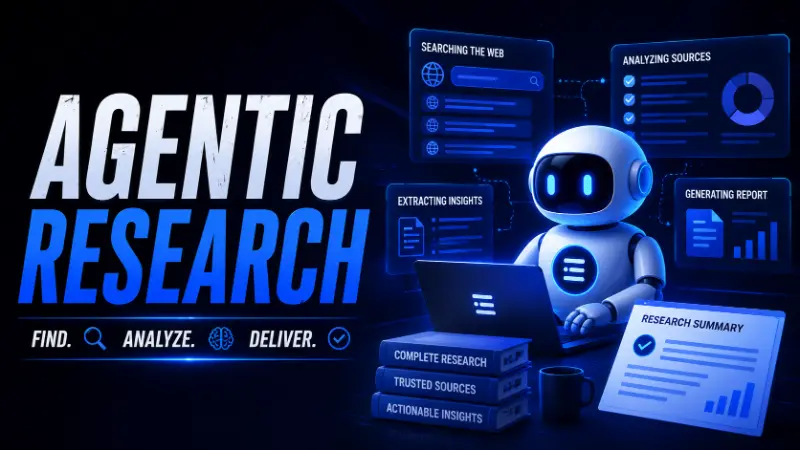
Artificial intelligence is changing how people interact with the web. Instead of manually searching, opening dozens of tabs, and comparing information, modern AI tools can perform much of the research process for you. This capability is known as agentic browsing.
In this guide, you'll learn what agentic browsing is, how it works, and how to use it effectively for research, SEO, content marketing, and everyday productivity.
What Is Agentic Browsing?
Agentic browsing is the ability of an AI system to browse websites, collect information, evaluate sources, and complete tasks based on a specific goal.
Unlike traditional search engines that provide a list of links, agentic systems perform much of the research process automatically. The AI can search for information, compare findings across multiple websites, and return a summarized answer or recommendation.
For example, instead of searching for "best Ghost CMS themes" and reading ten different articles, you can ask an AI agent to analyze available options and recommend the best ghost theme for your specific use case.
If you're new to the concept, first read our guide on What Is Agentic Browsing? The Future of AI-Powered Search and Web Navigation.
Agentic Browsing vs Traditional Search
When researching online, most people rely on traditional search engines to find information manually. Agentic browsing takes a different approach by allowing AI agents to perform multi-step research tasks autonomously.
| Traditional Search | Agentic Browsing |
|---|---|
| Requires manual searches | Performs research automatically |
| Users evaluate sources themselves | AI gathers and analyzes multiple sources |
| Time-consuming for large projects | Faster information gathering |
| Limited to user queries | Can adapt research paths dynamically |
| Manual note-taking | Generates summaries and insights |
| Best for simple lookups | Best for complex research tasks |
While traditional search remains useful for quick answers, agentic browsing excels at handling large-scale research projects that involve collecting, comparing, and synthesizing information from multiple sources.
Step 1: Choose an AI Tool With Web Access
The first step is selecting an AI platform that supports browsing capabilities. Explore Top 11 Best Artificial Intelligence Tools in 2026 to find the perfect AI research tool.

Popular options include:
- ChatGPT Search
- Perplexity AI
- Google Gemini
- Claude with web access
- AI research agents
These tools can access current web information and provide source-backed answers.
Step 2: Define a Clear Goal
Agentic systems perform best when given a specific objective rather than a vague question.
Instead of asking:
"What are Ghost themes?"
Try asking:
"Find the best Ghost themes for a news website, compare pricing, SEO features, and performance, then recommend the top three options."
A clear goal helps the AI create a better research plan and generate more useful results.
Step 3: Ask Multi-Step Questions
One of the biggest advantages of agentic browsing is its ability to handle complex requests.
For example:
- Compare the top 10 SEO tools for small businesses.
- Analyze competitor content ranking for a specific keyword.
- Find AI-powered website builders and compare their pricing.
- Research the latest developments in AI search engines.
These requests require multiple actions that would normally take significant manual effort.
Step 4: Verify Sources and Citations
Although AI agents can gather information quickly, it's still important to review the sources they reference.
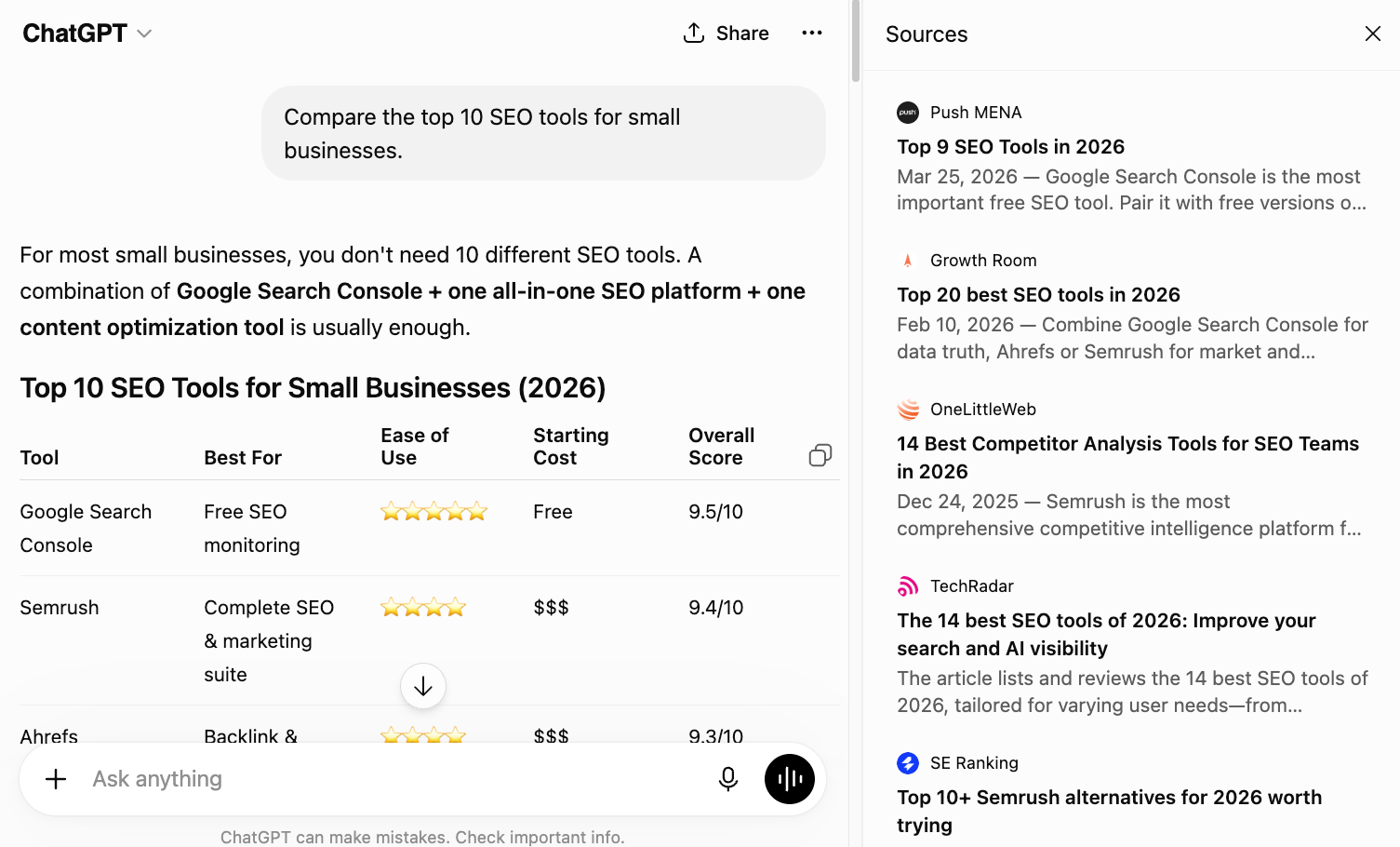
Check whether the information comes from:
- Official documentation
- Reputable publications
- Industry experts
- Research studies
The best AI systems provide citations that allow you to verify important claims before making decisions.
Step 5: Use Agentic Browsing for SEO Research
SEO professionals can save hours by using agentic browsing for content research. Here followings ome useful prompts include:
Content Gap Analysis
"Analyze the top-ranking pages for 'Ghost CMS SEO' and identify topics that competitors are missing."
Keyword Research
"Find related questions and semantic entities associated with agentic browsing."
Competitor Analysis
"Compare the content structure of the top five ranking pages for this keyword."
These workflows help uncover opportunities that may be difficult to identify manually. For comprehensive SEO strategies, check out Ghost Blog SEO: A Complete Guide for Beginner
Step 6: Use Agentic Browsing for Content Creation
Agentic systems can help create more comprehensive and authoritative content.
For example, you can ask an AI agent to:
- Gather definitions from trusted sources
- Identify related entities
- Find common user questions
- Discover emerging trends
- Generate content outlines
This information can be used to build articles that are more useful for both readers and search engines.
Step 7: Use Agentic Browsing for Business Research
Businesses can use AI agents to accelerate decision-making. Here following the most common use cases :
- Market research
- Product comparisons
- Vendor evaluations
- Industry trend analysis
- Customer feedback analysis
Instead of spending hours collecting information manually, AI agents can provide a structured summary within minutes.
Best Practices for Agentic Browsing
To get the best results, follow these guidelines:
- Start with a specific goal.
- Use detailed prompts.
- Ask the AI to explain its reasoning.
- Request citations whenever possible.
- Verify critical information from trusted sources.
- Break large projects into smaller tasks.
These practices help improve accuracy and make the browsing process more reliable.
Common Mistakes to Avoid
Many users treat AI agents like traditional search engines. This often leads to generic answers. So you should avoid the following things :
- Asking vague questions.
- Accepting information without verification.
- Using a single source for important decisions.
- Ignoring citations and references.
The quality of the outcome depends heavily on the quality of the instructions you provide.
Agentic Browsing vs Human Research
A common question is whether agentic browsing can replace human researchers.
The answer is "No" at least not entirely.
Agentic browsing is excellent at gathering information, identifying patterns, and summarizing findings from large amounts of data. However, human researchers still play a critical role in evaluating evidence, understanding context, applying judgment, and making decisions.
The most effective approach combines the speed and scalability of AI with human expertise and critical thinking.
Frequently Asked Questions
What is agentic browsing?
Agentic browsing is an AI-driven approach to web navigation where autonomous agents can search, analyze, and synthesize information from multiple sources to complete research tasks.
How does agentic browsing work?
Agentic browsing uses AI models to plan research steps, browse websites, gather information, evaluate sources, and generate summaries or recommendations.
What are the benefits of agentic browsing?
The main benefits include faster research, automated information gathering, improved productivity, and the ability to analyze multiple sources simultaneously.
Can agentic browsing perform research automatically?
Yes. Modern AI agents can conduct multi-step research tasks with minimal user input, although human review is still recommended.
Can agentic browsing replace human researchers?
No. While agentic browsing can automate information gathering and analysis, human judgment remains essential for fact-checking, interpretation, and decision-making.
Final Thoughts
Agentic browsing is transforming how people discover and use information online. By combining web access, reasoning, and task execution, AI agents can significantly reduce the time required for research and decision-making.
Whether you're an SEO professional, content creator, marketer, or business owner, learning how to use agentic browsing effectively can help you work faster, make better decisions, and stay ahead as AI-powered search continues to evolve.
