

Previous Post
Table of Contents
Ghost has just released one of the most requested features for developers, designers, and publishers: a built-in Theme Editor that allows you to edit theme files directly from the Ghost Admin dashboard.
This new feature eliminates the traditional workflow of downloading a theme, extracting files, making changes locally, compressing everything again, and re-uploading the ZIP file. Now, you can make quick theme modifications directly in your browser.
What Is the New Ghost Theme Editor?
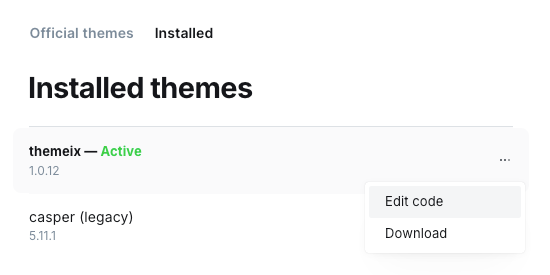
The new Theme Editor adds an "Edit code" option inside Ghost Admin, giving users direct access to their active theme files. Instead of relying on external code editors for minor changes, you can now update templates, partials, CSS files, and other theme components without leaving Ghost.
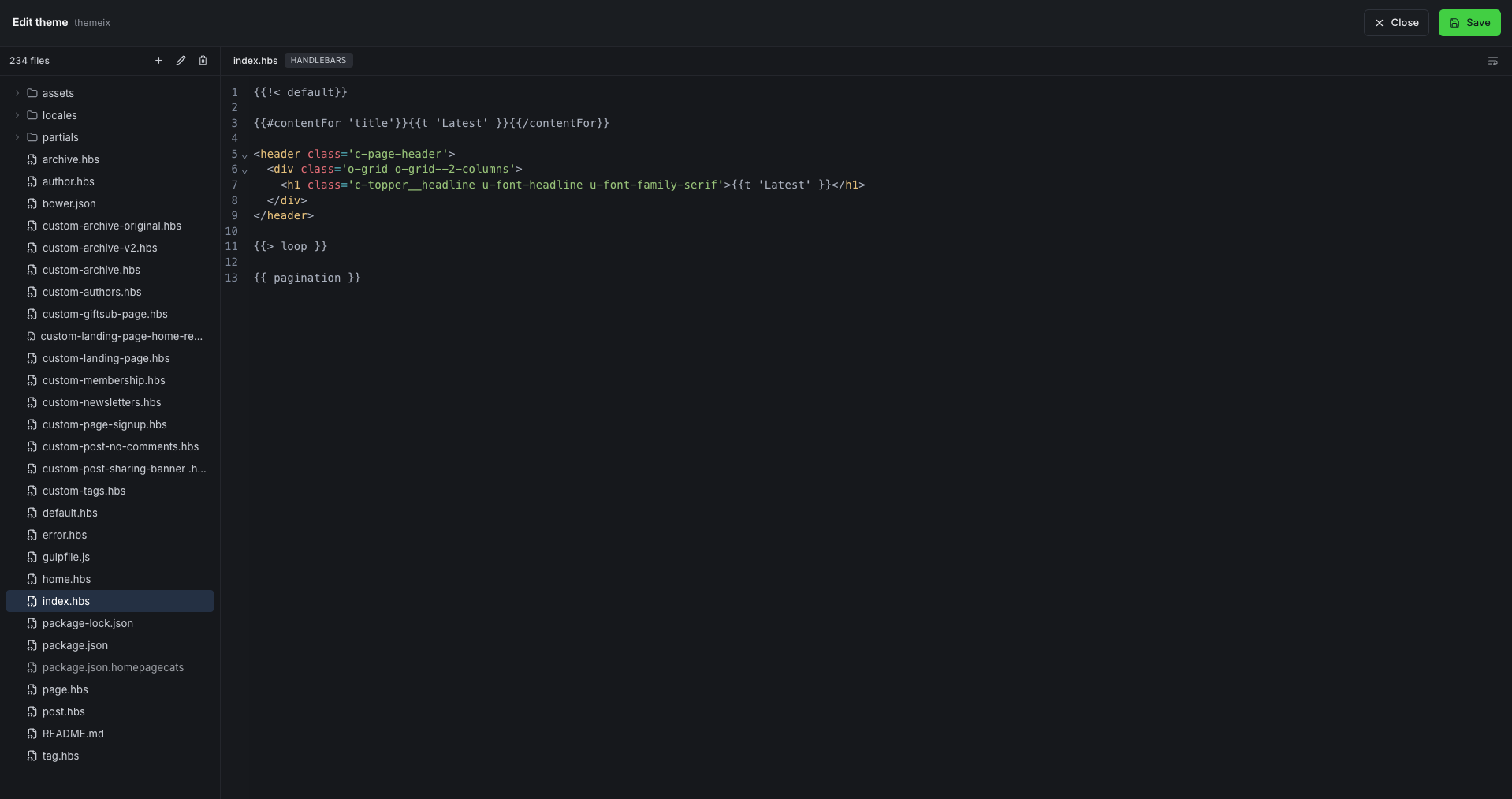
For many Ghost site owners, this dramatically speeds up common customization tasks such as:
- Updating header or footer content
- Modifying navigation layouts
- Adjusting typography styles
- Changing button labels
- Tweaking custom CSS
- Editing Handlebars template files
Why This Feature Matters
Before this update, even the smallest theme change required a multi-step process:
- Download the theme ZIP file
- Extract the archive
- Open the theme in a code editor
- Make the necessary changes
- Repackage the theme
- Upload it back to Ghost
While experienced developers were comfortable with this workflow, it created unnecessary friction for publishers and site administrators who only needed to make a few quick edits.
The new Theme Editor removes these obstacles and makes theme customization significantly more accessible.
A Win for Ghost Developers
For Ghost developers, the built-in editor can be a valuable productivity tool when making minor adjustments on live projects. Instead of switching between multiple applications, changes can be performed directly within Ghost Admin.
This is particularly useful when:
- Fixing layout issues
- Updating CSS rules
- Testing small design changes
- Adjusting theme settings
- Making content-related template updates
However, for larger development projects, version control systems such as GitHub and local development environments remain the recommended approach.
Inspired by the Ghost Community
One of the most interesting aspects of this release is its origin. The feature was initially developed by Ghost community member Murat Çorlu as an open-source project designed to simplify theme editing workflows. Ghost later integrated the concept into the platform, demonstrating the strength of the Ghost open-source ecosystem.
What This Means for Themeix Customers
At Themeix, we build premium Ghost themes designed to be flexible, lightweight, and easy to customize. The new Theme Editor makes it even easier for our customers to personalize their websites without repeatedly downloading and uploading theme files.
Whether you want to:
- Change a section heading
- Modify theme styles
- Update a custom template
- Fine-tune your site's design
You can now make many of these adjustments directly from the Ghost dashboard.
Final Thoughts
The new Ghost Theme Editor is a simple addition that delivers a major improvement to the user experience. By removing the repetitive download-edit-upload cycle, Ghost has made theme customization faster, more convenient, and more accessible for everyone.
As Ghost continues to evolve as a publishing platform, features like this help bridge the gap between powerful customization and ease of use.
If you're using a self-hosted Ghost installation, update to the latest version to start using the Theme Editor today. Ghost(Pro) users already have access to the feature.