


Previous Post
Table of Contents
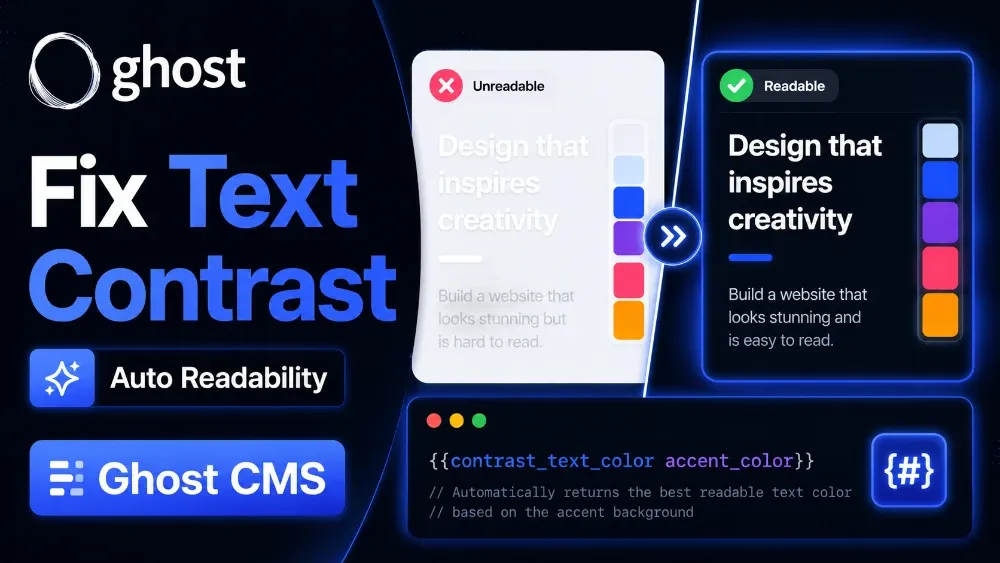
When building a custom theme for Ghost CMS, readability is one of the most important things to consider. Many Ghost developers allow users to change accent colors, tag colors, or section backgrounds dynamically. But this creates a common design problem:
Text becomes unreadable on certain background colors.
For example:
- White text disappears on light backgrounds
- Black text becomes hard to read on dark sections
- Dynamic branding colors can break the design
- User-selected colors may ruin accessibility
To solve this problem, Ghost provides a powerful built-in utility helper called contrast_text_color.
This helper automatically detects whether black or white text should be used depending on the background color.
Official Documentation:
https://docs.ghost.org/themes/helpers/utility/contrast_text_color
What is contrast_text_color in Ghost?
contrast_text_color is a Ghost Handlebars utility helper that automatically returns the best readable text color based on the provided background color.
The helper outputs either:
#000000
or
#FFFFFF
depending on the contrast ratio.
This is extremely useful for:
- Ghost custom themes
- Dynamic color systems
- Tag accent colors
- Hero sections
- Membership landing pages
- Ghost publication branding
- Dark mode compatible Ghost themes
Why Ghost Developers Need This Helper
Many Ghost theme developers face these problems:
Dynamic Accent Colors Break Readability
Ghost allows dynamic accent colors using:
{{@site.accent_color}}
But not every accent color works with white text.
Users Choose Bad Color Combinations
If your Ghost theme has custom settings, users may choose colors that create poor contrast.
Accessibility Issues
Low contrast text hurts accessibility and user experience.
Mobile Readability Problems
Bad contrast becomes even worse on mobile devices outdoors or on low brightness screens.
The contrast_text_color helper solves all these issues automatically.
Basic Syntax
{{contrast_text_color background="#15171A"}}
Output:
#FFFFFF
Another example:
{{contrast_text_color background="#F5F5F5"}}
Output:
#000000
Real Usage Example in a Ghost Theme
Here is a practical real-world example.
<div class="hero-section"
     style="
        background-color: {{@site.accent_color}};
        color: {{contrast_text_color background=@site.accent_color}};
     ">

    <h1>{{title}}</h1>
    <p>{{excerpt}}</p>

</div>
How This Works
In this example:
@site.accent_colorgets the Ghost site accent colorcontrast_text_coloranalyzes that color- Ghost automatically outputs black or white text
This keeps the text readable no matter what accent color is selected.
Example With Ghost Custom Settings
If your Ghost theme supports custom branding colors:
<section class="custom-banner"
         style="
            background: {{@custom.banner_color}};
            color: {{contrast_text_color background=@custom.banner_color}};
         ">

    <h2>Latest Stories</h2>
    <p>Discover premium content from our publication.</p>

</section>
This creates a more professional and flexible Ghost theme.
Using contrast_text_color With Ghost Tags
One of the best use cases is Ghost tag accent colors.
{{#foreach posts}}

<article class="post-card"
         style="
            background: {{primary_tag.accent_color}};
            color: {{contrast_text_color background=primary_tag.accent_color}};
         ">

    <h2>{{title}}</h2>
    <p>{{excerpt}}</p>

</article>

{{/foreach}}
This ensures every tag card remains readable.
Ghost Membership Page Example
Many premium Ghost membership themes use colorful pricing cards.
<div class="membership-card"
     style="
        background: {{@site.accent_color}};
        color: {{contrast_text_color background=@site.accent_color}};
     ">

    <h3>Premium Membership</h3>
    <p>Unlock exclusive content and newsletters.</p>

</div>
Using It With CSS Variables
Modern Ghost themes often use CSS variables.
<div class="dynamic-card"
     style="
        --card-bg: {{@site.accent_color}};
        --card-text: {{contrast_text_color background=@site.accent_color}};
     ">

    <h3>{{title}}</h3>

</div>
Then inside CSS:
.dynamic-card {
    background: var(--card-bg);
    color: var(--card-text);
}
Best Practices for Ghost Theme Developers
Always Validate Dynamic Colors
Before using the helper:
{{#if @site.accent_color}}
    {{contrast_text_color background=@site.accent_color}}
{{/if}}
Use HEX Colors
Best supported format:
#ffffff
#000000
#ff5733
Combine With Accessibility Testing
Even though Ghost handles contrast automatically, always test:
- Mobile devices
- Dark mode
- Large hero sections
- Buttons
- Membership cards
Common Mistakes
Using Invalid Color Values
Wrong:
{{contrast_text_color background="red"}}
Correct:
{{contrast_text_color background="#ff0000"}}
Forgetting Fallback Colors
Always use fallback logic when working with custom theme settings.
Not Testing Dynamic User Input
If users can change colors from Ghost Admin, test extreme cases like:
- Pure yellow
- Light gray
- Neon colors
SEO Benefits of Better Color Contrast
Good readability can improve:
- User engagement
- Session duration
- Bounce rate
- Mobile experience
- Accessibility compliance
These indirectly help your Ghost SEO performance.
Why This Helper is Important for Premium Ghost Themes
Premium Ghost themes often include:
- Dynamic branding
- Category colors
- Dark mode
- Custom landing pages
- Membership pricing tables
Without automatic contrast handling, users may experience broken layouts and unreadable content.
contrast_text_color helps maintain professional UI quality.
Common Ghost Theme Color Problems
When developers start working with dynamic colors in Ghost CMS, many small readability problems begin to appear. Below are some common questions Ghost theme users and developers often face while working with accent colors, tag backgrounds, membership sections, and custom branding.
What does contrast_text_color do in Ghost CMS?
The helper automatically detects whether black or white text should be used based on the background color for better readability.
Does contrast_text_color work in all Ghost themes?
Yes. It works in any Ghost theme that supports Handlebars helpers.
Can I use RGB colors with contrast_text_color?
HEX colors are recommended for the best compatibility.
Is contrast_text_color useful for Ghost membership websites?
Yes. It is especially useful for pricing tables, CTA sections, and branded membership pages.
Does contrast_text_color improve accessibility?
Yes. Better contrast improves readability and accessibility for users.
Can I use contrast_text_color with Ghost accent colors?
Yes. It works perfectly with:
{{@site.accent_color}}
Does this helper require JavaScript?
No. It is a built-in Ghost Handlebars helper and works server-side.
Final Thoughts
The contrast_text_color helper may look small, but it solves one of the biggest UI problems in Ghost theme development.
If your Ghost theme uses:
- Dynamic colors
- Accent branding
- Membership cards
- Category colors
- Custom theme settings
then this utility helper can significantly improve readability and user experience automatically.
For modern Ghost CMS theme development, this helper is highly recommended.